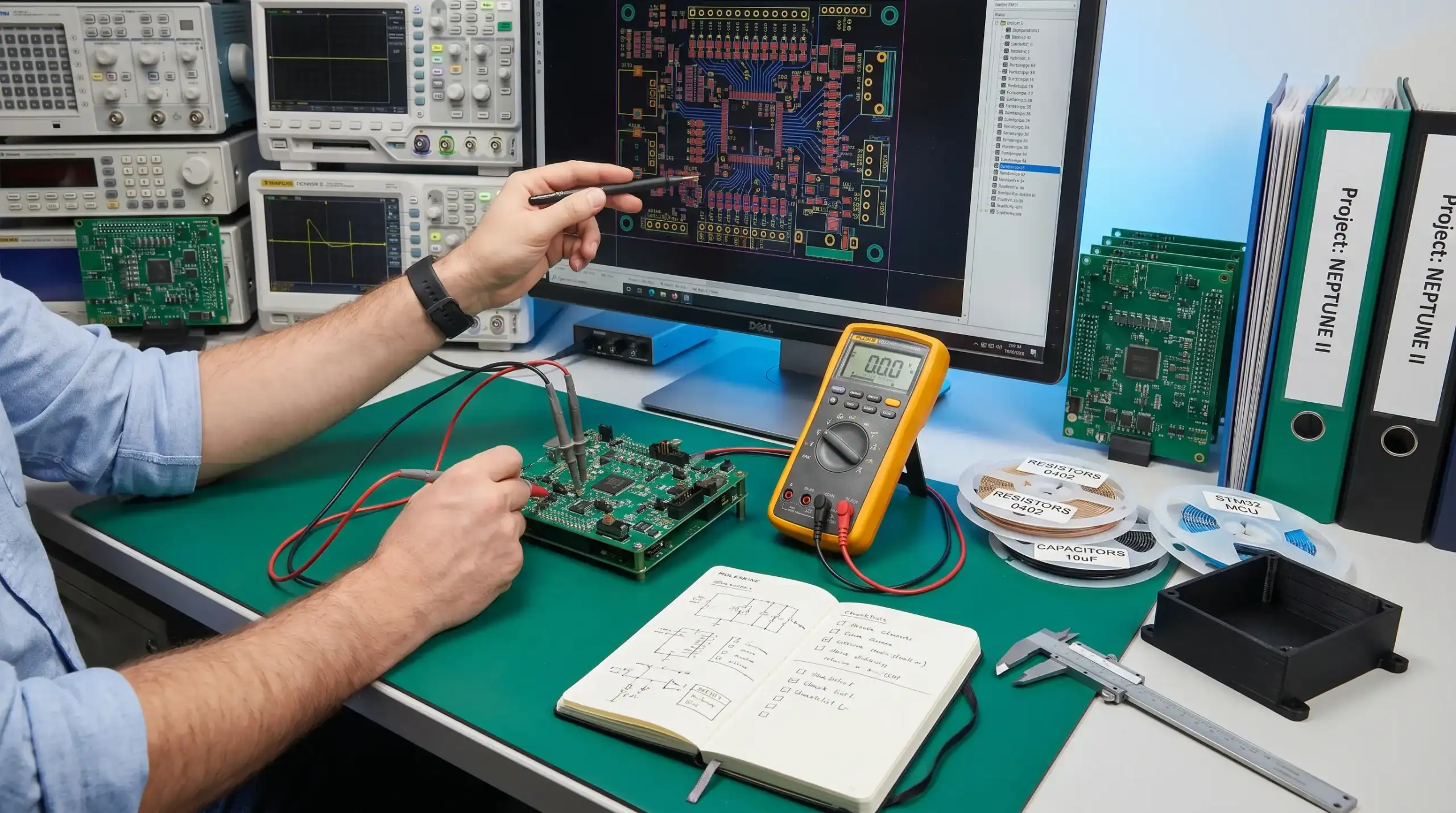
Preparing a PCB design for prototyping and volume build is not a handover activity at the end of layout. It is a system engineering task that starts when requirements, architecture and manufacturing intent are still being defined.
A prototype can prove that an electronic concept works, but it can also hide problems that later appear during EMC testing, enclosure integration, assembly yield, field use or component sourcing. The goal is not simply to produce a board that powers up in the lab. The goal is to create a PCBA design that gives useful engineering feedback now and can evolve into a reliable, manufacturable product later.
For OEMs, machine builders, robotics teams, maritime suppliers, defence contractors and high-tech product companies, this preparation reduces development risk. It helps internal teams avoid late redesigns, unclear supplier discussions and prototype results that cannot be scaled.
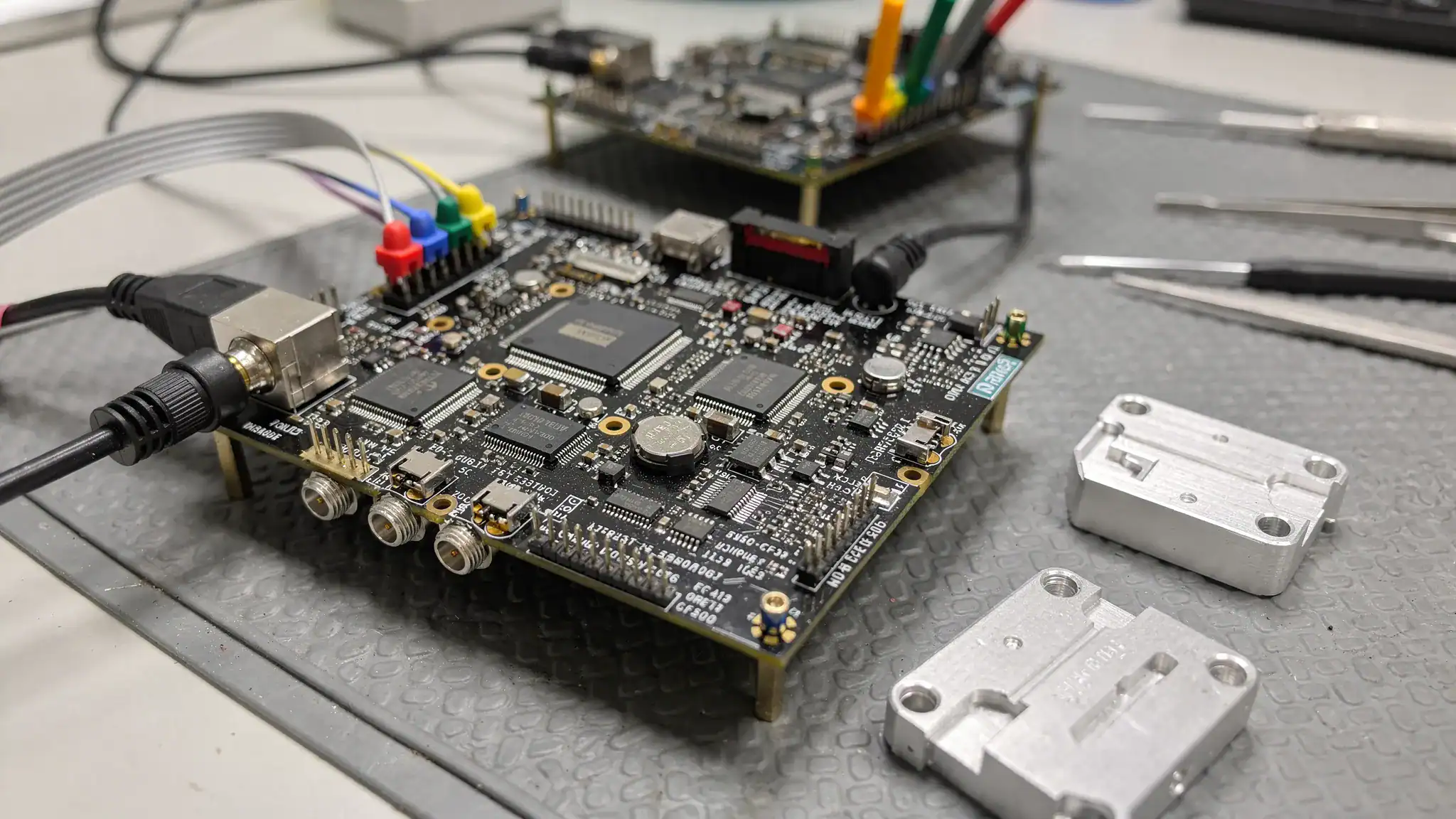
Why prototype and volume build must be considered together
Prototype and volume production are often treated as separate phases. In practice, the decisions made before the first prototype layout strongly influence cost, compliance, reliability and manufacturability in volume build.
A prototype may use hand assembly, substitute components, manual wiring fixes and extra measurement access. That can be appropriate during early validation, but only if the team understands which shortcuts are temporary and which decisions must already represent the final product.
The most valuable prototype is not the prettiest PCB. It is the prototype that answers the right technical questions: does the power architecture behave safely, does the analogue front end stay stable, does the embedded software have the required interfaces, does the design fit the enclosure, and are there early signs of EMC or thermal issues?
| Design area | Prototype objective | Volume build objective |
|---|---|---|
| Schematic | Validate architecture and interfaces | Reduce redesign risk and lock stable functions |
| PCB layout | Enable measurement and bring-up | Ensure repeatable assembly, EMC and reliability |
| Components | Prove performance and availability assumptions | Secure lifecycle, approved alternatives and supply continuity |
| Firmware access | Support debugging and diagnostics | Support programming, testing and serviceability |
| Mechanical integration | Check fit, connectors, thermal path and cabling | Confirm enclosure, assembly process and field robustness |
| Test strategy | Identify faults and design weaknesses | Enable repeatable production testing and quality control |
Treating these objectives as connected helps product teams move from prototype to pilot series and volume manufacturing with fewer surprises.
Start with requirements that describe the real operating environment
A PCB design can only be prepared properly when the operating conditions are explicit. A board that works on a clean lab supply at room temperature may behave very differently when installed in a moving machine, maritime cabinet, vehicle, battery-powered device or industrial installation.
The requirements phase should define electrical, mechanical, environmental and regulatory constraints before schematic capture and layout begin. For example, input voltage range, transients, load behaviour, connector exposure, cable lengths, service access and grounding strategy all influence the PCB.
For products connected to building infrastructure, charging systems, photovoltaic systems or backup power installations, the field environment can be just as important as the electronics itself. Practical knowledge from qualified electrical installation specialists, such as Notstrom & Elektrotechnik Sven Sanny, illustrates why installation context, power quality, maintenance and safety assumptions should be understood before embedded electronics are finalised.
Important requirement categories include:
- Electrical limits, including input voltage range, surge conditions, inrush current, load profiles and power sequencing
- Environmental limits, including temperature, humidity, vibration, contamination, condensation and ingress protection assumptions
- Interfaces, including sensors, motors, antennas, field wiring, displays, service ports and network connections
- Compliance targets, including EMC, RED, CE, safety-related requirements or sector-specific standards where applicable
- Manufacturing expectations, including expected volume, assembly process, inspection method, test coverage and product variants
- Lifecycle expectations, including service life, component availability, maintainability and future product updates
A weak requirement set usually reappears later as layout rework, test uncertainty or supplier ambiguity. A strong requirement set gives the PCB designer the technical context needed to make trade-offs consciously.
Freeze the system architecture before detailed layout
PCB layout should not be used to solve architectural uncertainty. Before layout starts, the team should understand the main power domains, signal groups, firmware dependencies, safety boundaries and mechanical interfaces.
This is especially important in embedded systems that combine sensors, motor drives, wireless communication, analogue measurement, high-speed digital interfaces and power electronics. These disciplines interact. A switching converter can disturb an analogue signal chain. A connector location can affect EMC. A firmware update route can influence test fixtures and production programming.
A practical architecture review should cover power distribution, grounding philosophy, isolation barriers, connector strategy, processor and memory choices, diagnostic access, thermal paths and enclosure constraints. If wireless communication is involved, antenna placement and the surrounding mechanics should be considered before the PCB outline is fixed.
For complex products, this is also the stage where hidden risks become visible. ProMicro has written more about this system-level view in its article on how embedded systems reduce risk in complex product development.
Prepare the schematic for prototype success
A reliable PCB starts with a schematic that is ready for review, simulation where appropriate, and layout translation. The schematic should not only show connectivity. It should communicate design intent.
For a prototype build, the schematic should include clear power sequencing, protection components, connector pinouts, programming access, debug access, test points and configuration options. For a future volume build, it should also show approved component values, tolerance requirements, derating considerations and any components that may need alternatives.
Component selection deserves particular attention. Engineering teams should check whether critical parts are suitable for the expected lifetime of the product, not just whether they are available for the prototype order. This includes microcontrollers, power semiconductors, sensors, connectors, RF modules, displays and memory devices.
A schematic review should ask the following questions:
- Are all power rails defined with current budgets and sequencing needs?
- Are protection circuits appropriate for the expected environment?
- Are analogue inputs protected and filtered without compromising measurement accuracy?
- Are programming and debug connections accessible during bring-up and production?
- Are footprints, pinouts and package variants verified against datasheets?
- Are component tolerances and temperature ranges suitable for the application?
- Are critical components available from reliable sources, with alternatives where possible?
The schematic is also the right place to identify measurement points. Adding them later in layout often leads to compromised placement or inaccessible pads.
Make the PCB layout manufacturable from the first revision
Design for manufacturability does not mean slowing down innovation. It means avoiding layout choices that are difficult, expensive or unreliable to assemble repeatedly.
For prototypes, engineers sometimes accept dense placement, unusual packages or manual assembly steps. That may be justified for a proof of concept, but it should be documented. If the same design is expected to move towards volume build, manufacturability must be considered from revision one.
Key layout decisions include stack-up, copper weight, track width, clearance, via type, component orientation, solder mask rules, board outline, fiducials, panelisation assumptions and access for inspection. These decisions affect fabrication yield, assembly quality, thermal behaviour and cost.
| Manufacturability topic | What to check before prototype release | Why it matters for volume build |
|---|---|---|
| Stack-up | Confirm layer count, impedance needs and copper thickness | Prevent redesign when signal integrity, EMC or thermal demands increase |
| Footprints | Verify land patterns, courtyard clearances and pin 1 markings | Reduce assembly faults and inspection ambiguity |
| Component placement | Check orientation, access, keep-outs and heat sources | Improve automated assembly, inspection and serviceability |
| Fiducials and tooling | Add global and local fiducials where needed | Support accurate pick-and-place and inspection processes |
| Panelisation | Discuss board shape, break-off tabs and edge rails early | Avoid production handling issues and damaged boards |
| Test access | Reserve pads for electrical testing and programming | Enable repeatable PCBA testing without manual probing |
| Documentation | Prepare clear drawings, notes and controlled revisions | Reduce misinterpretation between design and manufacturing partners |
In many projects, the difference between a lab prototype and a production-ready PCBA is not one big redesign. It is a collection of small decisions made early, each of which reduces uncertainty later.
Design for EMC, signal integrity and power integrity early
EMC and electrical robustness are strongly influenced by PCB layout. Filtering components alone cannot compensate for poor return paths, large switching loops, badly placed connectors or uncontrolled cable interfaces.
For embedded systems, power electronics and analogue electronics, the layout should control current loops, reference planes, separation of noisy and sensitive circuits, decoupling placement, cable entry points and shielding strategy. High di/dt loops in switching converters, motor drives and LED drivers require particular care. So do sensitive analogue inputs and RF sections.
A compliance-minded layout does not guarantee that a product will pass formal testing, but it improves the probability that the first prototype provides useful EMC data instead of obvious layout-related failures. ProMicro explains the broader principle in its article on what EMC means for electronic product design.
Practical PCB design considerations include keeping switching loops compact, maintaining continuous return paths, placing decoupling capacitors close to IC power pins, separating high-current paths from low-level analogue signals, considering common-mode currents on cables, and aligning connector placement with enclosure and grounding strategy.
Power integrity should be reviewed with equal discipline. Voltage drops, transient load steps, ground bounce and poor decoupling can create intermittent problems that are difficult to reproduce. These issues often look like firmware bugs, sensor errors or communication failures, while the root cause is electrical.
Add testability and diagnostics before the prototype is built
A prototype without test access is harder to debug. A volume product without a test strategy is harder to manufacture consistently.
Design for test should be included before the PCB is released. This does not always require a complex fixture, but it does require intentional access to important nodes, programming interfaces and diagnostic functions. The right level depends on product complexity and expected production volume.
For early prototypes, testability supports bring-up and root-cause analysis. For volume build, it supports production screening, traceability and consistent quality. Firmware can also support this process through boot diagnostics, fault logging, calibration routines and communication interfaces for test equipment.
Useful test provisions may include labelled test pads for power rails, reset lines, programming interfaces, communication buses, analogue references and safety-relevant signals. Where space allows, test pads should be placed so that a future bed-of-nails fixture or semi-automated test setup is feasible.
A good test strategy defines what must be verified at board level, what can be verified at system level and what should be checked by the assembly partner. Without that distinction, teams risk over-testing some functions while missing critical failure modes.
Prepare a complete manufacturing data package
A PCB design is not ready for prototyping or volume build until the manufacturing data package is complete, controlled and unambiguous. Sending only fabrication files is rarely enough for a professional PCBA build.
A well-prepared package helps suppliers quote accurately, build consistently and ask focused technical questions. It also protects the engineering team from uncontrolled substitutions, outdated files and unclear revision status.
| Data item | Purpose |
|---|---|
| Fabrication data | Defines copper layers, solder mask, silkscreen, drill data and board outline |
| Stack-up information | Communicates layer structure, copper thickness, dielectric assumptions and impedance needs |
| Assembly data | Supports pick-and-place, orientation, component placement and inspection |
| Bill of materials | Defines manufacturer part numbers, approved alternatives, quantities and sourcing notes |
| Assembly drawing | Shows component orientation, special instructions, mechanical constraints and no-fit parts |
| Test procedure | Defines board-level checks, programming steps, calibration and acceptance criteria |
| Firmware package | Provides controlled firmware version, programming method and configuration data |
| Revision history | Tracks what changed and why, especially between prototype and production releases |
File formats depend on supplier preference. Many teams use Gerber or ODB++ data for fabrication, centroid files for assembly, a controlled BOM and PDF drawings for review. The specific format matters less than clarity, consistency and revision control.
Before release, perform a final design output review. Check that the schematic revision, PCB revision, BOM revision, firmware revision and mechanical data all match. Misaligned revisions are a common cause of prototype delays.
Treat the prototype build as an engineering experiment
A prototype build should have a test plan before boards arrive. Otherwise, bring-up becomes reactive and important learning may be missed.
Define what the prototype must prove. Examples include power sequencing, analogue accuracy, sensor behaviour, thermal margin, motor control stability, wireless range, firmware update process, enclosure fit, cable routing and early EMC behaviour.
It is often useful to build enough units to separate different activities. One board may be used for electrical bring-up, another for firmware integration, another for mechanical fit and another for environmental or destructive testing. When all validation depends on one or two boards, development slows down and failures become more expensive.
Bring-up should start with controlled power application, current limits, visual inspection and staged activation of subsystems. Measurements should be documented, not only discussed informally. If modifications are made, record them clearly so that the next revision can be updated accurately.
Prototype learning should feed into a structured design review. The output should be a controlled list of changes, open risks, test results and decisions for the next revision.
Bridge from prototype to volume build
Moving from prototype to volume build is not just a matter of ordering more PCBAs. It requires a transition from engineering validation to repeatable production.
After prototype testing, review the design with manufacturing, procurement, compliance and serviceability in mind. Some changes will be technical, such as improved filtering, altered component placement or thermal adjustments. Others will be operational, such as adding production labels, defining calibration routines or improving test fixture access.
The transition should include BOM review, supplier feedback, assembly yield analysis, test coverage review, enclosure verification and pre-compliance testing where appropriate. For connected products, firmware provisioning, serialisation, security settings and field update mechanisms may also need to be formalised.
Component lifecycle management becomes increasingly important at this stage. A prototype can tolerate a hard-to-source component. A volume product usually cannot. Critical parts should be reviewed for availability, second-source options, expected lifetime and change notification processes.
For regulated or high-reliability applications, the pilot series or pre-production build is especially valuable. It gives the team an opportunity to validate assembly process, test procedure, documentation and packaging before committing to larger quantities.
Common mistakes that delay PCB prototyping and production
Many PCB delays are avoidable. They are usually not caused by one dramatic error, but by missing details that compound across design, assembly and testing.
Common mistakes include:
- Starting layout before the system architecture and power concept are stable
- Treating EMC, thermal design or enclosure integration as late-stage topics
- Using prototype-only components without tracking production alternatives
- Forgetting test points for programming, diagnostics and board-level verification
- Ignoring connector access, cable routing, strain relief and serviceability
- Sending incomplete or inconsistent manufacturing files to the assembly partner
- Making manual prototype modifications without updating schematic and layout documentation
- Scaling from one working prototype to volume build without a pilot production step
Avoiding these mistakes requires discipline, but not unnecessary bureaucracy. The aim is to make engineering decisions visible, reviewable and traceable.
A practical readiness checklist before releasing the PCB
Before ordering prototype PCBAs or releasing a design for volume build, the project team should confirm that the design is technically, mechanically and operationally ready.
The checklist should include requirements review, schematic review, PCB layout review, DFM review, DFT review, BOM review, firmware access review, mechanical fit review and compliance risk review. For more complex products, simulation, pre-layout reviews and supplier design checks may also be appropriate.
A good release meeting should answer three questions. What do we expect this build to prove? Which risks remain open? What information must be captured before the next design revision?
This approach keeps the prototype focused and makes the volume build path more predictable.
Frequently asked questions
How early should manufacturability be considered in PCB design? Manufacturability should be considered from the architecture and schematic phase, not only after layout. Stack-up, component selection, connector placement, test access and enclosure constraints all influence whether a design can be assembled reliably in volume.
What files are needed to manufacture a prototype PCB? A professional prototype package usually includes fabrication data, assembly data, a controlled BOM, assembly drawings, stack-up notes, test instructions and firmware programming information. The exact formats depend on the manufacturing partner, but revision control and clarity are essential.
Should the prototype PCB be identical to the volume build version? Not always. Early prototypes may include extra test points, configuration options or debug connectors. However, critical architecture, component choices, EMC strategy, thermal design and mechanical interfaces should be representative enough to provide useful production-relevant feedback.
How does PCB layout affect EMC performance? PCB layout affects current loops, return paths, coupling between circuits, connector behaviour, shielding effectiveness and filtering performance. Good layout practice can reduce EMC risk early, while poor layout often leads to late redesigns or additional filtering.
When should an external PCB design partner be involved? An external partner is most valuable when the product combines multiple disciplines, such as embedded software, power electronics, analogue electronics, sensors, wireless communication, compliance requirements or mechanical integration. Early involvement helps identify hidden risks before they become expensive design changes.
Prepare your PCB design with ProMicro
Preparing a PCB design for prototyping and volume build requires more than board layout. It requires system engineering, embedded systems knowledge, power and analogue expertise, manufacturability thinking, test planning and awareness of real-world operating conditions.
ProMicro supports companies from idea generation and electronic design through PCB design, rapid prototyping, enclosure considerations and preparation for volume manufacturing. For teams developing professional electronics, complex machines or connected products, this integrated approach helps reduce technical risk and create designs that are ready for validation, production and long-term use.
If your next product needs robust electronics, embedded systems, power electronics or PCBA design support, contact ProMicro to discuss how to prepare the design for a smoother path from prototype to volume build.